Inclave Mobile Login: Biometrics and Cross-Device Access
 Available in AU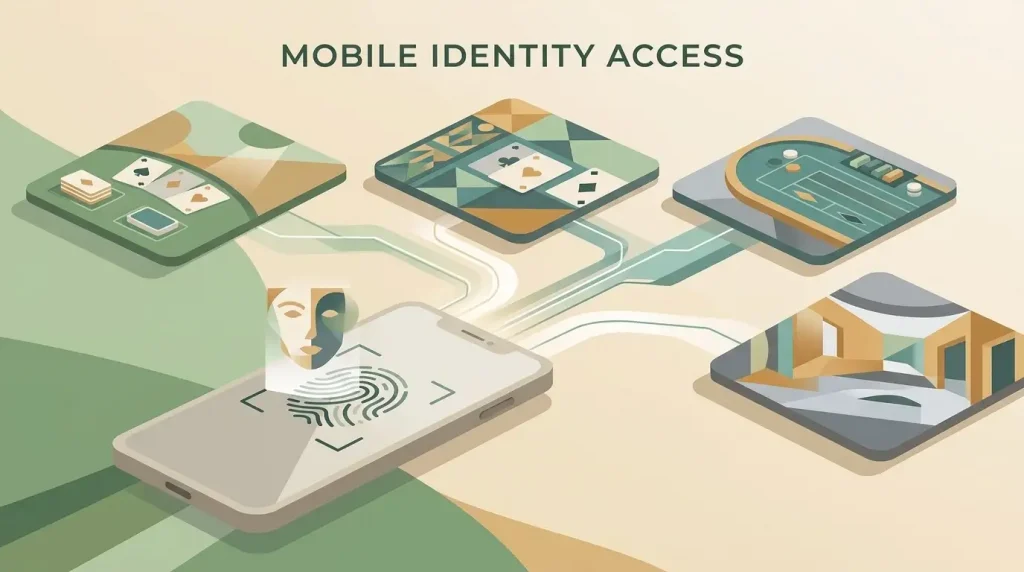
Mobile authentication
Inclave mobile login is the authentication layer used by supported casino sites, not a separate mobile casino. Current connected-operator material describes biometric sign-in using facial recognition or fingerprints on compatible devices, along with account access across desktop and mobile browsers. The connected casino still controls its own website or app experience, games, balance, bonuses and cashier. A smooth Inclave sign-in therefore tells you about authentication convenience, not the overall quality or legal status of the casino behind it.
Table of Contents
- How Inclave mobile access works
- Biometric login means authentication, not a universal casino app
- What follows you across devices and what does not
- Mobile browser access and an operator app are different questions
- A practical mobile login check before using a connected casino
- Biometrics do not replace casino verification
- Why a fast mobile sign-in is not a trust signal
- Current reference for mobile and biometric access
- Cross-device convenience has a narrow scope
- A practical mobile check without inventing recovery steps
- Use mobile access as one data point, not the whole review
- What mobile Inclave access can and cannot tell you about a casino
- Inclave Login: How One Account Works Across Casino Sites
How Inclave mobile access works
The verified model is straightforward: one Inclave account can be recognised by supported casino brands, and the same identity can be used from compatible desktop and mobile devices. Biometric authentication can reduce repeated password entry when the device and implementation support facial or fingerprint recognition.
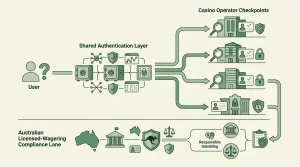
That shared access does not merge the casino accounts. After authentication, you still enter the selected operator’s own environment, where the operator controls the gambling products and account economics.
Biometric login means authentication, not a universal casino app
Searches for “Inclave Face ID” or “Inclave fingerprint login” are usually trying to answer a practical question: can a phone’s biometric capability be used to make sign-in easier? Current integration pages describe facial recognition and fingerprint login as supported authentication methods on compatible devices. The safest wording is therefore biometric login, rather than promising a particular branded phone feature on every device.
The distinction matters because Inclave is not the casino interface itself. A connected operator can present a mobile website, a browser-based lobby or its own app experience, but those product choices belong to that operator. Inclave supplies the identity layer used to get through the door.
For the wider authentication model, the parent Inclave login explains what one shared account does and does not combine.
What follows you across devices and what does not
Cross-device access is useful only if the boundary is clear. The identity can be reused at supported brands, while the gambling account behind the sign-in remains separate at each casino.
| Mobile question | Inclave role | Casino operator role |
|---|---|---|
| Can the same identity be used on phone and desktop? | Yes, current integration material describes compatible cross-device and browser access. | The operator decides how its site performs and what mobile interface it provides. |
| Can biometrics be used? | Facial or fingerprint authentication is supported on compatible devices. | The casino does not become responsible for the device’s biometric system. |
| Are balances shared across casinos? | No. | Each operator controls its own player balance and cashier. |
| Are bonuses or games shared? | No. | Each operator sets promotions and chooses its own game library. |
| Does mobile login prove the casino is suitable for Australia? | No. | Operator status and Australian access must be checked separately. |
Mobile browser access and an operator app are different questions
Inclave-related material supports the idea of using the identity across compatible browsers and devices. That should not be turned into a claim that every connected casino has a native app, or that Inclave itself is a gambling app. Those are separate product questions.
If a casino promotes a downloadable app, verify that app against the operator’s current official channels. If the casino is browser-based, judge its mobile layout, loading behaviour and navigation as features of that casino. Neither conclusion can be inferred solely from the presence of an Inclave sign-in option.
This is especially useful when comparing two connected sites. They can share the same authentication technology and still deliver very different mobile experiences because the operator controls the lobby, game catalogue, support presentation and cashier interface.
A practical mobile login check before using a connected casino
Confirm the site actually supports Inclave
The shared identity only applies where the operator has integrated the login service.
Use the device security you control
Keep the phone or computer protected with its normal access controls and avoid leaving an authenticated device available to other people.
Treat biometric support as device-dependent
Facial or fingerprint authentication is a compatible-device feature, not a promise that every browser and handset will present the same flow.
Judge the casino separately
After login, assess the operator’s own terms, account rules and regulatory position rather than using sign-in convenience as a trust shortcut.
Biometrics do not replace casino verification
A biometric sign-in confirms access to the identity used for authentication. It does not create one universal KYC outcome across every connected casino. A casino can still apply its own verification requirements because KYC belongs to the operator relationship, not to a shared network-wide gambling account.
That separation becomes important if a player moves from routine sign-in to an account or transaction check. The KYC after login explains what remains operator-specific and how Australian licensed-wagering verification fits into a different regulatory context.
Why a fast mobile sign-in is not a trust signal
Authentication convenience is useful, but it measures only one part of the experience. It does not establish how a casino handles payments, disputes, licensing or customer support. Those questions need evidence about the specific operator.
Use the broader Inclave review when the decision moves beyond login mechanics. The Inclave Australia guide also maps the shared identity layer against the separate responsibilities of a connected casino.
Current reference for mobile and biometric access
Current connected-operator material describes Inclave as an identity-management solution with facial or fingerprint login and compatibility across desktop and mobile devices and browsers. See the Lucky Legends Inclave integration page and the Slots of Vegas Inclave integration page.
Cross-device convenience has a narrow scope
Current connected-casino integration pages describe Inclave as compatible with different devices and browsers, which supports the basic idea that an account created or stored on one device can still be accessed from another compatible device. That is useful, but it should be read narrowly. Cross-device access concerns authentication. It does not establish that every connected casino has the same mobile layout, the same browser support, a native app, or the same account controls.
The distinction becomes clearer when two operators are compared. Both can use Inclave for sign-in while one relies entirely on a responsive mobile website and another promotes a separate app or a different navigation structure. The shared login may reduce repeated credential entry, yet the gambling interface after authentication still belongs to the operator. Loading speed, game availability, portrait or landscape behaviour, cashier layout and support access therefore need to be evaluated on the named casino rather than inherited from the login provider.
That also means a successful biometric sign-in is not proof that every later step will work identically on another device. A connected casino can still apply its own session rules, verification checks or location controls after authentication. The useful conclusion is not that Inclave creates one universal mobile casino experience, but that the same identity layer can support repeat access while operator-specific behaviour remains separate.
A practical mobile check without inventing recovery steps
Before relying on mobile biometrics, check the device and browser conditions that are actually visible in the current integration or account interface. Confirm that the biometric option is offered on the device you are using, that the browser or operating system can present the required authentication prompt, and that you still know which casino account you are entering after authentication succeeds.
If biometric access is not offered or stops appearing, avoid assuming a particular recovery process. The public sources used for this guide support biometric login and broad device/browser compatibility, but they do not justify one universal sequence for resets, backup codes or account recovery across every connected casino. The correct next step is to use the current Inclave or operator account instructions that are visible for that specific login flow rather than copying steps from another brand.
The same caution applies to security claims. Biometrics can reduce repeated password entry on compatible devices, but they do not remove the need to protect the device itself, recognise the correct operator site and complete any later casino-level verification. Mobile convenience is best treated as an authentication feature, not as evidence about the quality, safety or legality of the gambling service behind the login.
Use mobile access as one data point, not the whole review
A smooth biometric or cross-device sign-in can be convenient, but it answers only the access question. It does not establish how well the casino’s cashier, games, support or account controls work on the same phone. Those functions belong to the connected operator and should be assessed independently after login.
What mobile Inclave access can and cannot tell you about a casino
Mobile Inclave access can tell you that a supported operator uses a reusable identity layer and that biometric authentication is available on compatible devices. It cannot tell you whether the casino has a native app, how good its mobile lobby is, or how it handles balances, bonuses and withdrawals. Treat convenient sign-in as an authentication feature, then evaluate the connected casino on its own evidence. That separation is the most useful way to compare Inclave-connected sites from Australia without mistaking shared login for shared operation.